
Billing
Price a job, send the customer the number, get it paid and know what is owed. What you charge goes in a price book once; a quote is built from it, an invoice from the quote they accepted, the hours priced on, and a link they can pay on.
Getting started
These are the steps in the order somebody would do them. The same list is in the tool: press F1, or the control reading "How this works" at the top of the window.
1. Press New quote and start it against a customer
The number is generated from your own prefix, and the customer is a company, a contact or a deal you already hold. Attaching it is what lets the finished quote land on their record instead of in a folder.
2. Put what you charge in the price book
One entry per thing you sell: a name, the unit it is sold in - an hour, each, a metre, a day - and the rate. It is the list somebody is otherwise retyping from memory on every quote, which is where the two quotes that disagree come from.
3. Add lines from the book
Pick the item and say how many. The line takes a copy of the rate at the moment you add it, so putting your prices up next month never rewrites a quote somebody was already given. The price book is safe to edit for exactly that reason.
4. Say what it is worth and how long it stands
A discount, the tax, the date it is good until, and what you want up front. A deposit prints on the quote with the balance after it, and where you have connected Stripe the customer gets a card link for it. Expired is never stored: it is worked out from that date every time the quote is read, so nothing runs overnight and no quote changes state unwatched.
5. Get it to the customer, then say what they said
"Make a PDF" writes it out as the document a customer expects, with your own name and address at the top. "Open it to print" hands that file to whatever you print with, and "Email it" sends it from your own mailbox. "Mark as sent" records that they have it and starts the expiry. Accepted and declined quotes never expire.
6. File it on the customer's record
Filing writes the quote into your organisation's document store and puts a line on that customer's timeline, where every other Keyway tool already looks. It outlives this tool and can be handed to whoever asks for it.
7. Keep a job you write more than once as a template
Press "Keep as a template" on a finished quote and the next one of that job opens complete: the lines, the discount, the terms. Lines that came from the price book take the book's rate on the day the template is used, so a template never quotes last year's money.
The screens, and what to do first on each
Each of these opens with nothing on it on a new install. What the tool says on that screen is what this section says, because it is the same sentence.
No quotes written yet
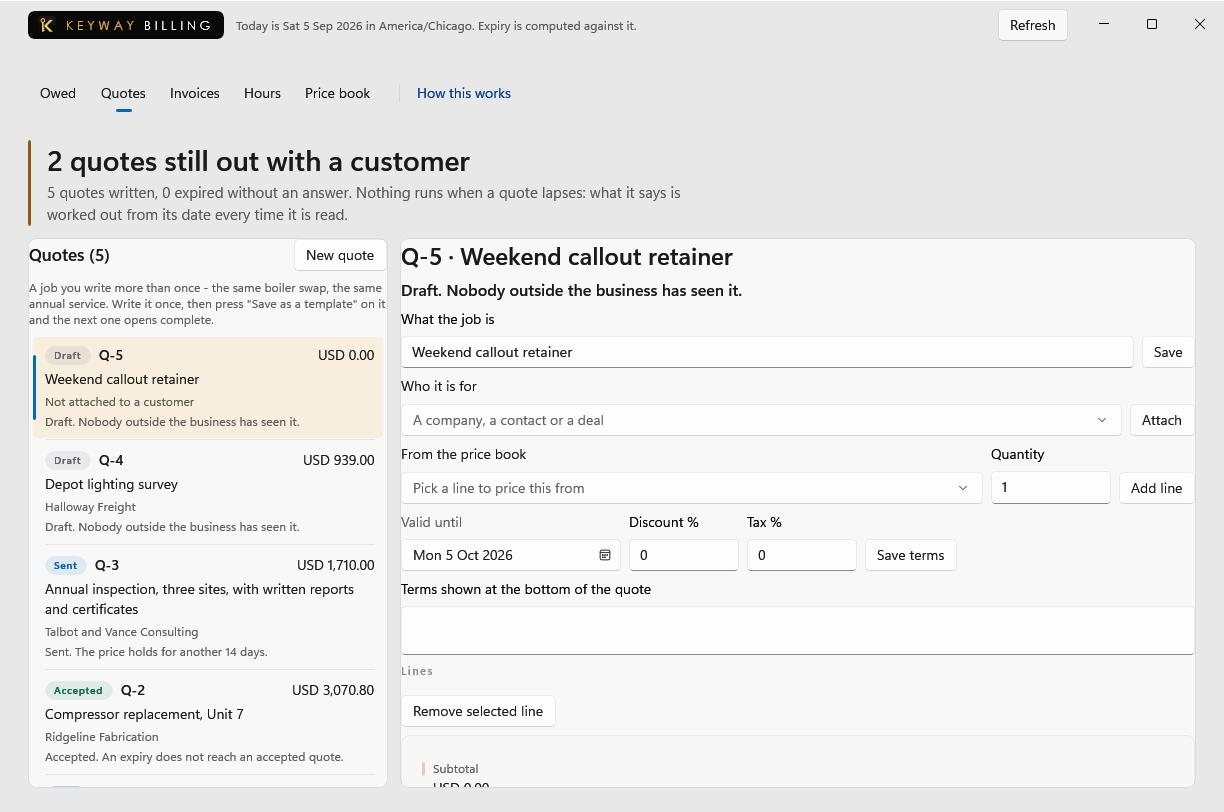
This is every quote you have written, what it is worth and where it stands. A quote's lines come from the price book, or are typed on the quote and kept in the book from there.
First thing to do: Press New quote and start it against a customer.
Nothing is owed
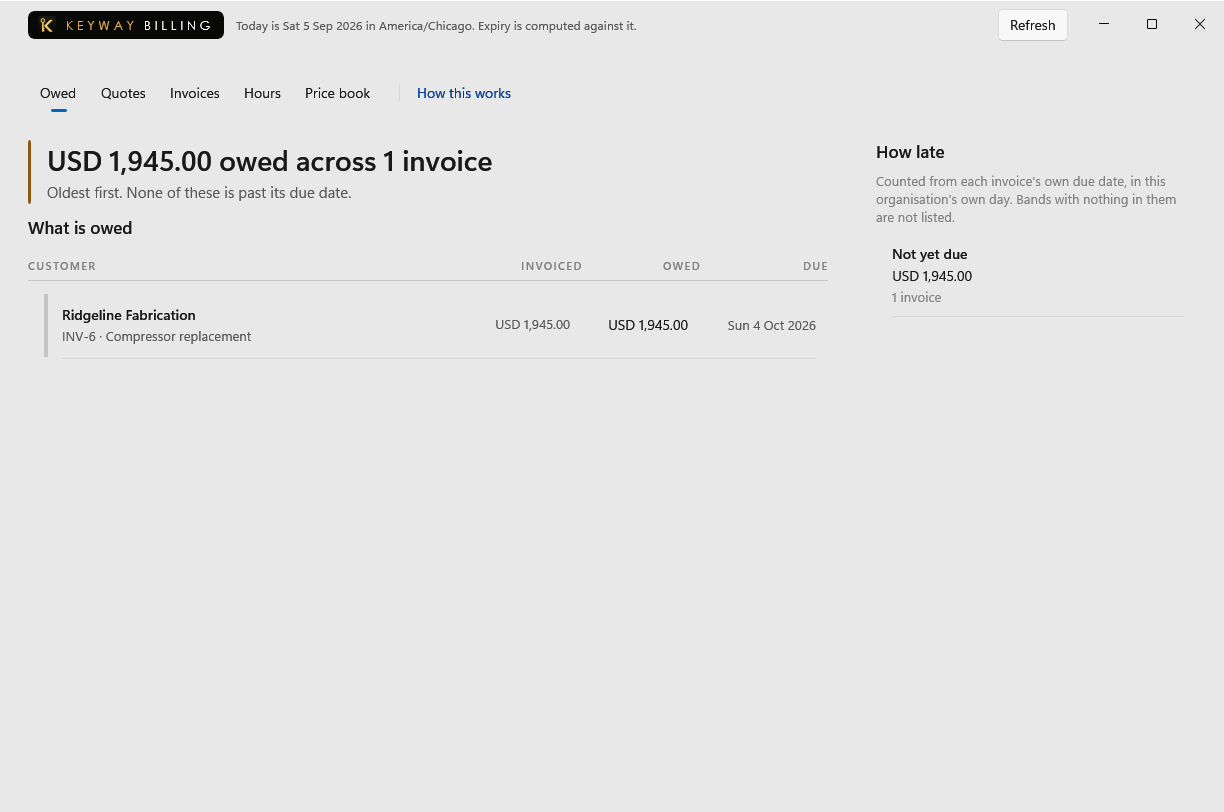
Every invoice you have sent that has not been settled, oldest first, with how far past its date each one is. An invoice leaves this screen when it is paid in full or credited.
First thing to do: Raise an invoice on the Invoices screen, or bill a quote a customer has accepted.
No invoices raised yet
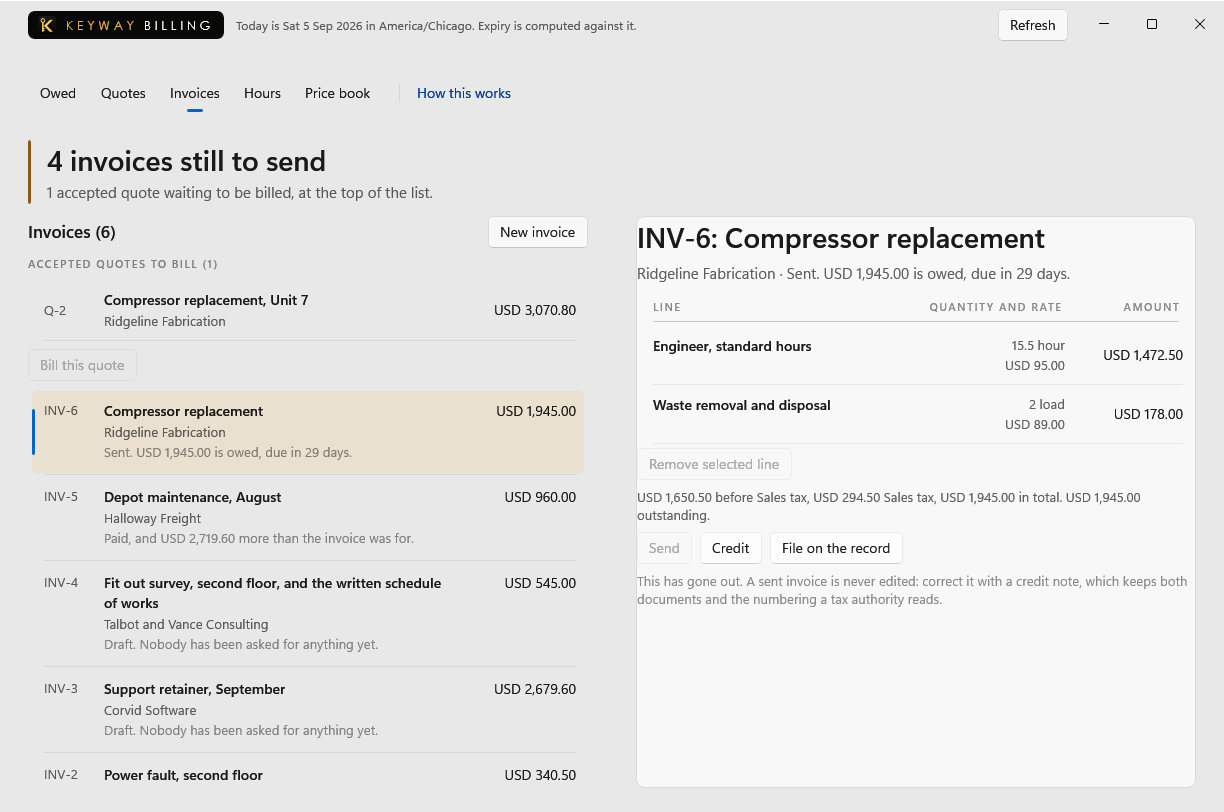
A bill you give a customer, and the record of what they still owe on it. The quickest one to raise is from a quote somebody has already accepted: the figures are the ones they agreed to, so nothing is typed twice.
First thing to do: Press New invoice and fill it in, or accept a quote on the Quotes screen and this screen offers to bill it.
Nothing recorded yet
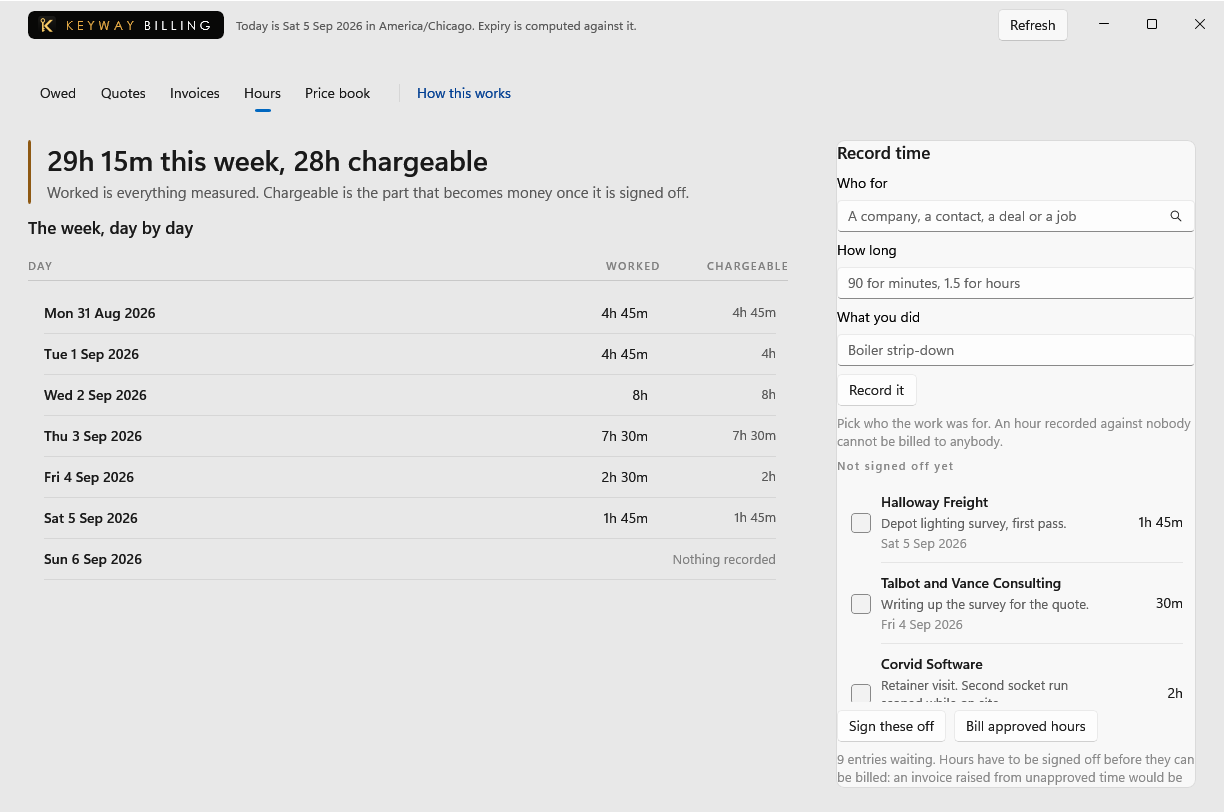
Time spent on a customer's work, against the customer it was spent on. Sign a batch off when the week is right and it becomes invoice lines at the rate you signed off, without being retyped anywhere.
First thing to do: Pick who the work was for, say how long it took, and record it.
Nothing bills itself yet
A charge the same customer owes again on a day that comes round: a cleaning contract, a retainer, a maintenance agreement, a subscription. Record it once and Keyway raises the invoice on the day, sends it, files it on their record and puts a pay link on it.
First thing to do: Say who it is for, what it charges and how often, and record it.
The price book is empty
One entry per thing you sell, with the unit and the rate. A line keeps the rate it was added at, so nothing you change later rewrites a quote already given. Your own name and address are set further down this screen and print on every quote.
First thing to do: Add one item: a name, a unit like hour or each, and what you charge for it.
No QuickBooks company is connected
Every invoice this business has raised is listed here with whether it has reached QuickBooks, and sending one carries what has been received against it. Nothing goes on its own, and a business that never connects a company loses nothing: the register exports to a spreadsheet the way it always has.
First thing to do: Save the register as a spreadsheet for whoever does the books, or connect QuickBooks from Set up in Keyway.
If you get stuck
Write to support@keywaysuite.com. We answer within one business day. Keyway can send us what it knows about your installation: open the hub, go to About and press Get support. It writes one file wherever you choose and never includes your licence, a password, a customer name or a customer address.