
Policies and Training
For any chosen date - today or two years ago - what rules were in force, which training your people had done, who had acknowledged the version that was in force, and which certificates were valid, answered from the records kept here.
Getting started
These are the steps in the order somebody would do them. The same list is in the tool: press F1, or the control reading "How this works" at the top of the window.
1. Press New policy and write down one rule
A policy is the name, who here owns it, and a line saying what it requires. It starts at version 1 on the day you record it, and you can date it earlier if the rule is older than the register.
2. Record who has acknowledged it
Each person on your staff list, against the version in force on the day they read it. A signed sheet typed up a month later is dated the day they signed, which is the record; the day it was entered is kept separately and the pack says which is which.
3. Excuse anybody the rule does not reach
Somebody on long-term leave, or a contractor the handbook does not cover. An exemption needs a reason, the name of whoever agreed to it and a date it runs to. They count as excused rather than as having read it, and the board tells you when it runs out.
4. Record that somebody has read it since
Reviewing a policy says the text was looked at and found still right. It is not a new version and it makes nobody acknowledge anything again. Set how often it should be read and the board tells you when one is due.
5. Write a procedure, then put people through it
A procedure is a title and the steps in order: opening up, the checks before a machine is switched on. Type one here, or record one with Keyway SOP Recorder and it joins the same list with a picture of every step. A training path is an ordered set of them, given to the people it applies to, and the screen tells you who is nearly there and who nobody has sat down with yet.
6. Add the certificates that prove things
Insurance, a trade registration, an annual test: what it is, who issued it, and the window it is good for. One can be held about a supplier rather than about you, and it goes on that supplier's own record.
7. Answer what somebody actually asked for
A contractor, an insurer or a customer sends a numbered list. Paste it into the first screen, one line each, with the date they want the position as at. The pack answers their list in their order and their words, and says which numbers this register does not hold so you can say where those live. If nobody has asked, pick a date and it answers all of it. Save it as a PDF and that is what you send.
The screens, and what to do first on each
Each of these opens with nothing on it on a new install. What the tool says on that screen is what this section says, because it is the same sentence.
What was in force on any date
For a date: which policy version was in force, who had acknowledged it, and which certificates were valid. A certificate keeps every window it has had and somebody who has since left is counted up to the day they went, so an earlier date is answered as it stood then.
First thing to do: Open Policies and write down one rule your staff already follow.
A rule, and who acknowledged it
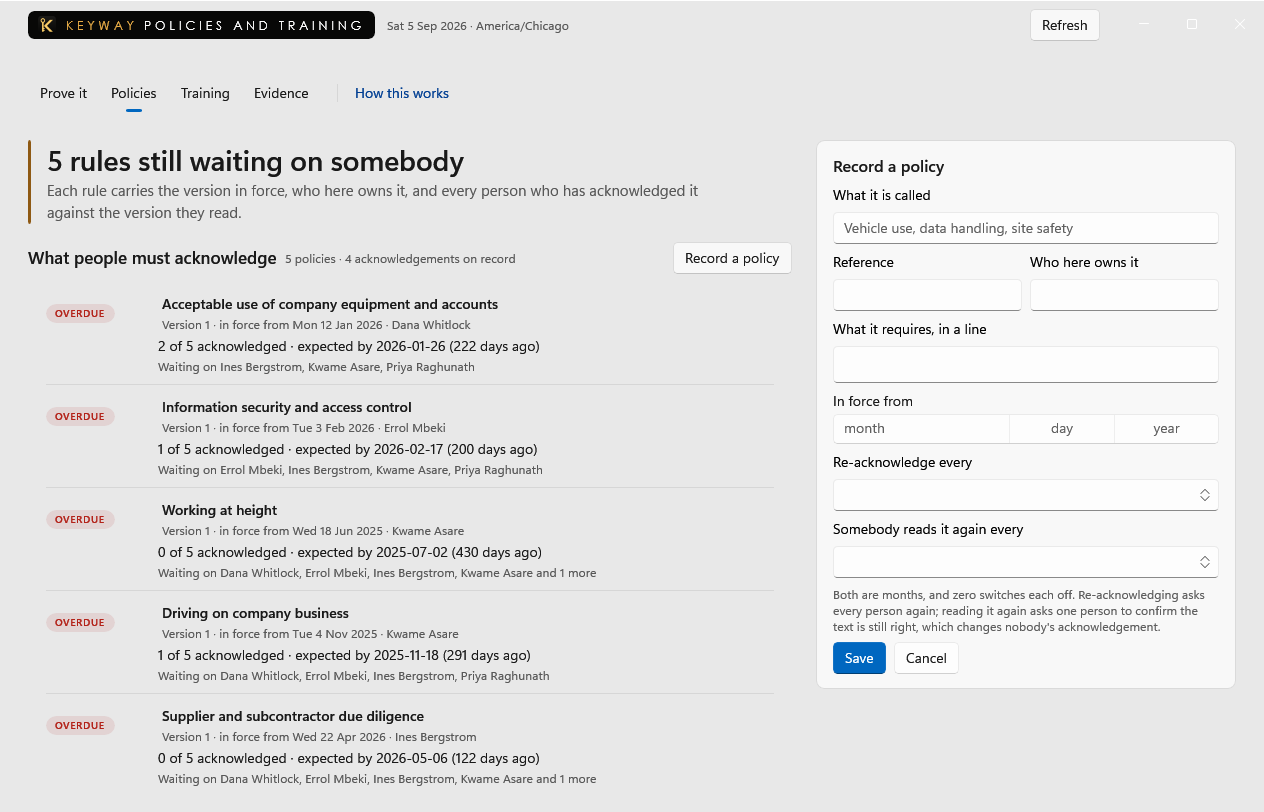
A written rule people are expected to know: vehicle use, data handling, site safety. Each carries a version, an owner, who has acknowledged it and when it was last read.
First thing to do: Type a name into the form beside this and press Save.
A path, and who has finished it
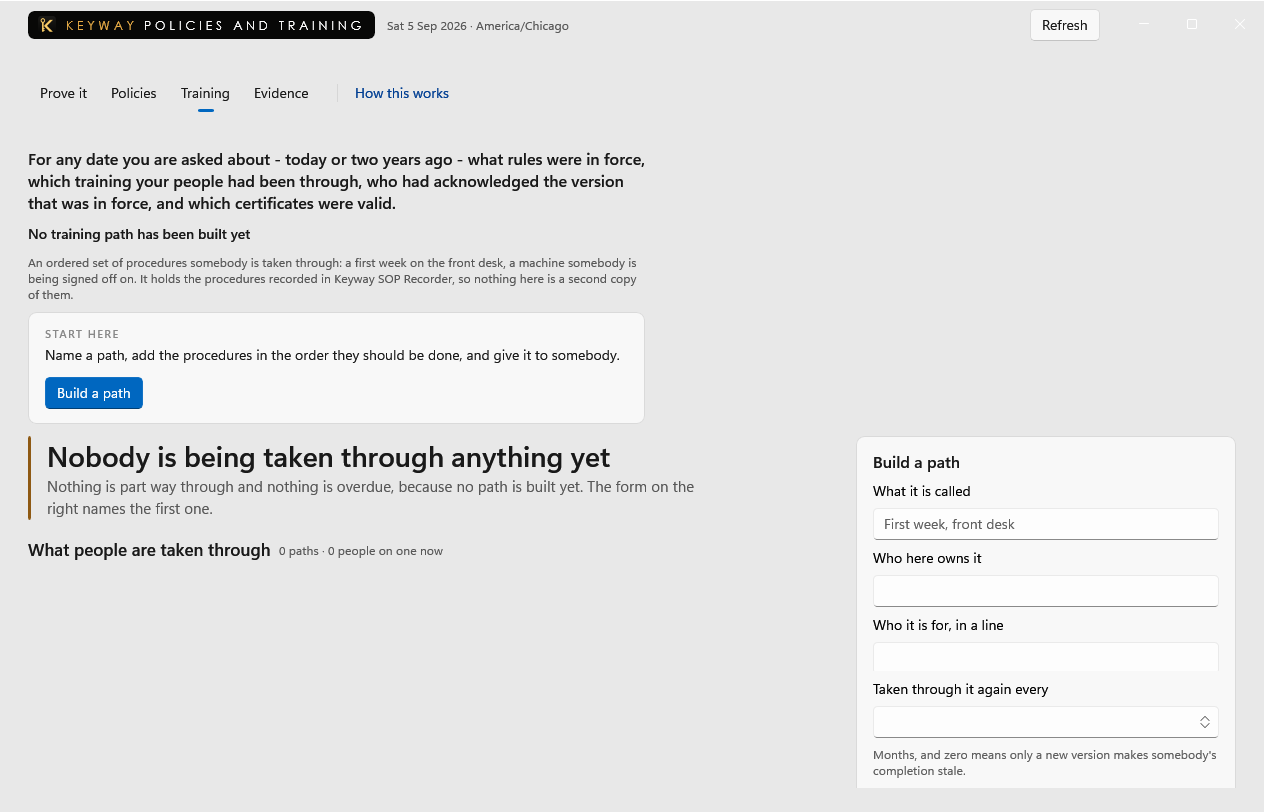
An ordered set of procedures somebody is taken through: a first week on the front desk, a machine somebody is being signed off on. Write a procedure here, or record one with Keyway SOP Recorder and it appears in the same list, so nothing here is a second copy of anything.
First thing to do: Write the first procedure, then name a path, put them in order and give it to somebody.
A certificate and its window
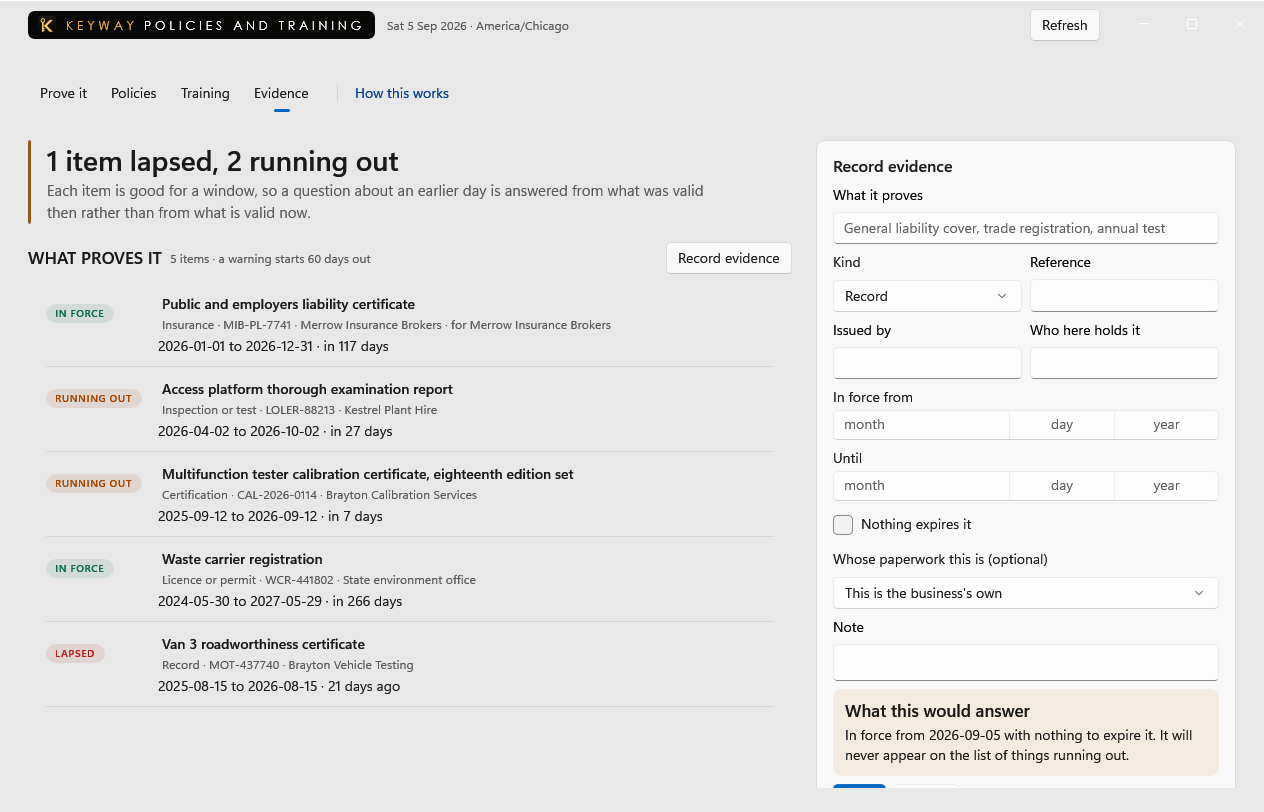
The paperwork behind the rules: insurance, registrations, tests. Each keeps every window it has had with the day it changed, so a report about an earlier date uses the window it had then. Removing an item takes it off every date.
First thing to do: Add the certificate whose renewal you would chase first.
If you get stuck
Write to support@keywaysuite.com. We answer within one business day. Keyway can send us what it knows about your installation: open the hub, go to About and press Get support. It writes one file wherever you choose and never includes your licence, a password, a customer name or a customer address.