
Contracts and Renewals
Everything this business has signed, and the date by which somebody has to give notice or it renews on its own. Record an agreement once and it tells you what is closing, what will roll over, and what that will cost if nobody acts.
Getting started
These are the steps in the order somebody would do them. The same list is in the tool: press F1, or the control reading "How this works" at the top of the window.
1. Press New contract and record one agreement
Who it is with, what it is for, and what it says about time: when the term started, when it ends, how much notice it wants and whether it renews by itself. Those four dates are what every other screen in this tool is worked out from.
2. Read the notice deadline it works out
Not the end date - the date by which notice has to be in writing for the end date to mean anything. The board buckets by urgency and puts what has already been missed at the top, because a passed notice date on a contract that renews itself is the most expensive row on the screen and a list by date buries it.
3. See what rolls over if nobody acts
The exposure screen splits by whether anybody can still stop it: what is already committed, meaning its notice date has gone, what can still be stopped, and what it puts in neither, where the signed agreement and this register disagree about a term the deadline comes from. One total mixing them would be a number nobody can act on. It is also broken down by category and by owner.
4. Give notice, and record that you did
Send about on the Deadlines screen offers every live agreement, so notice can go months early. It goes to the person it is filed against; one filed against a company has no mailbox to send to, and for those the letter prints with "Where notice has to be sent" on it. Either way a copy is filed on their record, which makes it answerable later.
5. Put the deadlines in the calendar you already read
The register exports as a calendar file for Outlook or Google, with a reminder two weeks before each deadline. Two weeks rather than the day itself, because giving notice means finding the agreement, agreeing internally and sending something in writing, and none of that fits between a morning reminder and midnight.
The screens, and what to do first on each
Each of these opens with nothing on it on a new install. What the tool says on that screen is what this section says, because it is the same sentence.
Nothing needs notice, because nothing is recorded yet
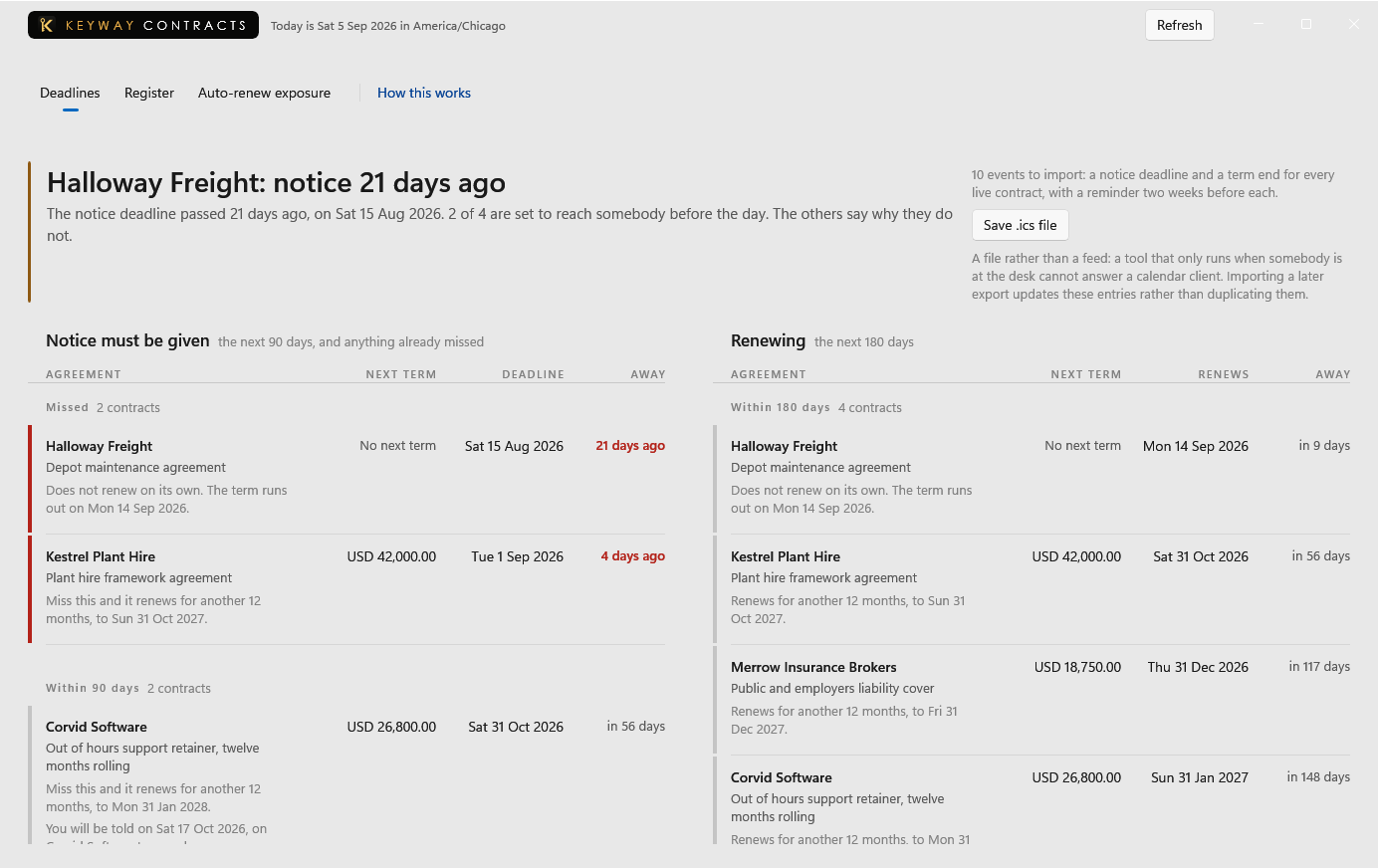
This board is worked out from each contract's term, the notice it asks for and whether it renews by itself. It has nothing to work from until one agreement has been written down.
First thing to do: Open Register and record the agreement whose renewal you would most hate to miss.
No agreements recorded yet
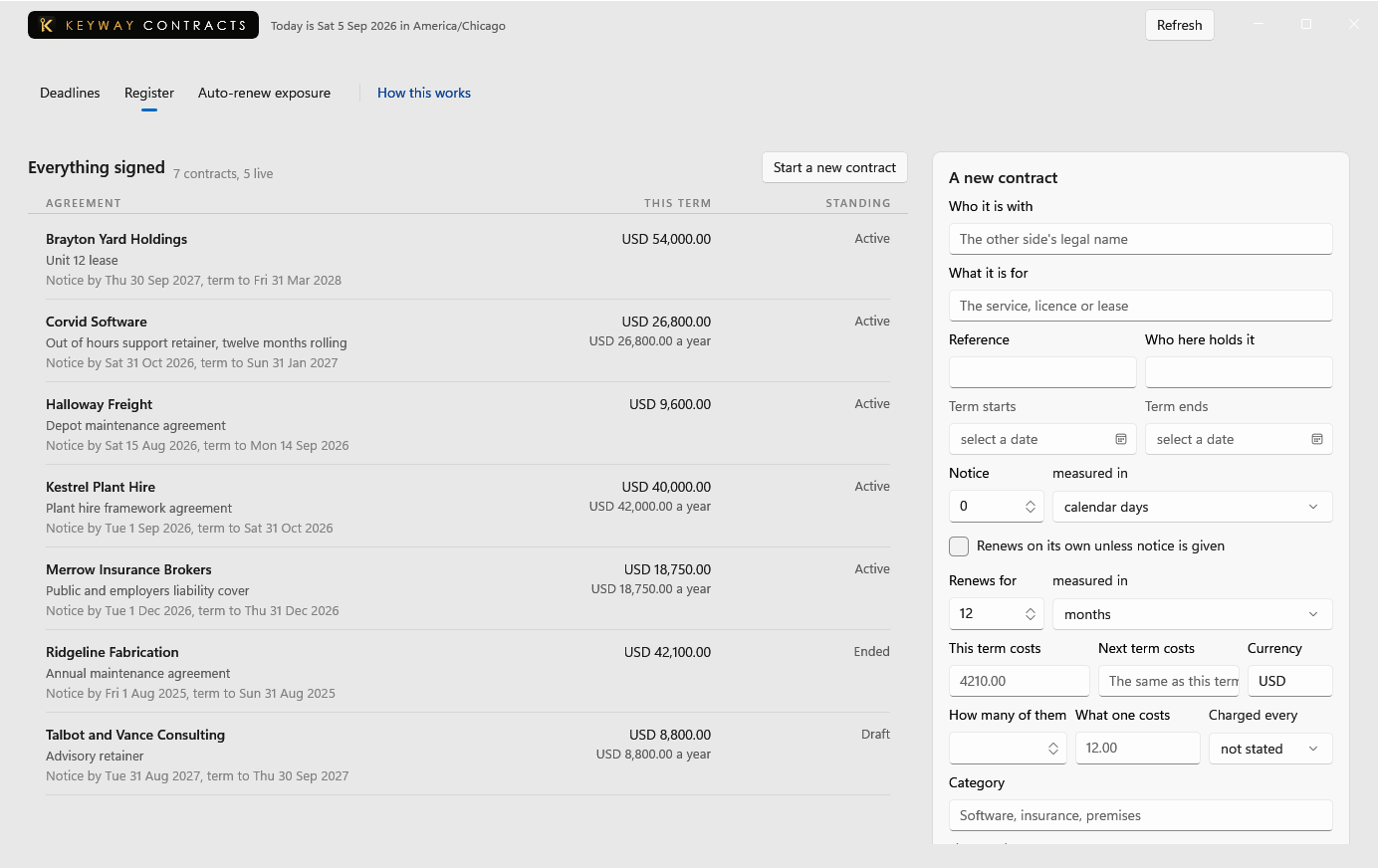
A contract here is who it is with, what it is for, and the four dates that decide when somebody has to act. The form on the right is where one is added; nothing needs to be uploaded first.
First thing to do: Press New contract and record one agreement with its end date and the notice it asks for. Ten more can wait.
Nothing renews on its own yet
Only an agreement marked as renewing by itself reaches this screen, with what it will cost if nobody acts and whether anybody can still stop it.
First thing to do: Record a contract on Register and tick that it renews on its own, then price it.
No agreement to show yet
An agreement opens here from the Register or the Deadlines board: what it obliges somebody here to do and by when, which version of the signed file each date was read from, and what has happened to it since.
First thing to do: Record one agreement on Register, then come back and say what it obliges.
If you get stuck
Write to support@keywaysuite.com. We answer within one business day. Keyway can send us what it knows about your installation: open the hub, go to About and press Get support. It writes one file wherever you choose and never includes your licence, a password, a customer name or a customer address.